Justifying text
increases horizontal spacing between words and letters to present text
that looks uniform. This means that text on both the right and left
sides starts and stops at the same place. To turn on justification, you
can press Ctrl + J or click the justification button on the formatting
toolbar.
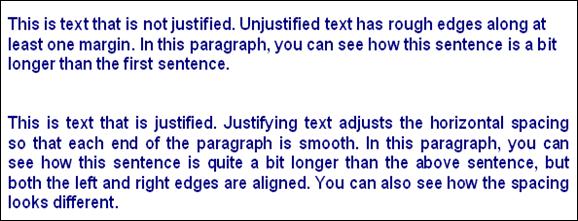
Justification is a bit easier to understand once you see it in practice. Let’s look at an example.
|