|
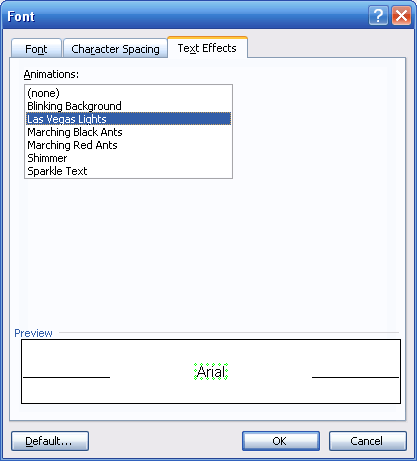
Set your fonts on
the move with the Text Effects tab! You can choose to animate your fonts
in a number of ways. Let’s look at the options:
|
Blinking
Background |
Background of the text blinks from black to white. |
|
Las Vegas
Lights |
A
colour-changing dotted box flashes around your text. |
|
Marching
Black Ants:
|
A
dotted black box moves clockwise around your text. |
|
Marching Red
Ants:
|
A
dotted red box moves clockwise around your text. |
|
Shimmer:
|
Text
shimmers in and out of focus. |
Applying an
animation is just like applying anything else. Click the animation from
the list, preview it, and if it’s what you want click OK to apply it!
Remember that you can combine effects like animation with any of the
effects from the other tabs in the Font dialog box to create some neat
effects.
|


