Many dialog boxes have their own help topics. Just click the question mark in the top right hand corner of the dialog box, next to the close button. Here’s an example:
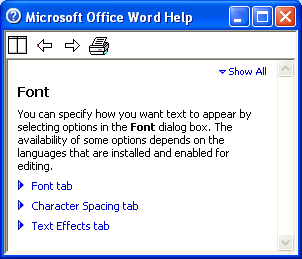
Once you click that question mark, a help result will appear just as if you’d clicked a link from the results of a help search. The topic of the help result will be directly related to the dialog box you’re in, so there is no search option. For example, if we click on the Help button in the Fonts dialog above, here’s the screen we’d see:
You can see that this help result focuses on setting your font. You also have some other elements of the help result screen, like Show All and expanding links.
|