|
1. |
Open Microsoft
Office Word 2003.
If you already have
Word open, press
Ctrl and N
on your keyboard to open a blank document. |
|
|
|
|
2. |
In the new
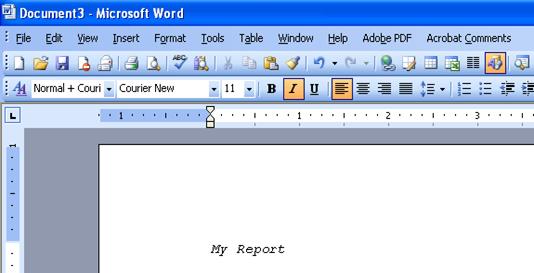
document, click in the middle of the screen and type
My Report.
 |
|
|
|
|
3. |
Press
Enter
twice. |
|
|
|
|
4. |
Type:
This is my sample report on Microsoft Office Word 2003. I am
learning how to select, cut, copy, paste, and format text. Soon,
I’ll be a whiz at this stuff! |
|
|
|
|
5. |
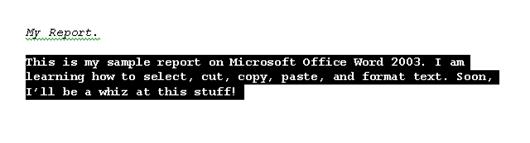
Select the second
sentence in the paragraph we just typed.
 |
|
|
|
|
6. |
Click the
Bold
button on the formatting toolbar ( ) or use
the Ctrl + B shortcut. ) or use
the Ctrl + B shortcut. |
|
|
|
|
7. |
Click the
Cut
button on the standard toolbar ( ) or use
the Ctrl + X shortcut. ) or use
the Ctrl + X shortcut. |
|
|
|
|
8. |
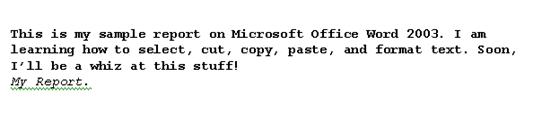
Click to place your
cursor at the end of the sentence “My
Report.”
Click the
paste
button ( ) on the
standard toolbar or use the Ctrl + V shortcut. ) on the
standard toolbar or use the Ctrl + V shortcut.
 |
|
|
|
|
9. |
Click the
Edit
menu and click
Find.
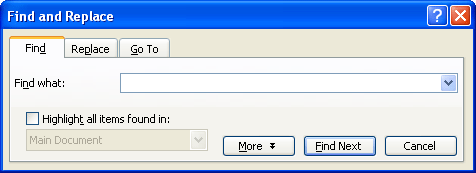
In the Find What
box, type
whiz.
Check the box that
says Highlight
all items found in.
Click
Find All.
If you are prompted
to search at the beginning of the document, click
Yes. |
|
|
|
|
10. |
Once Word has found
the word whiz and highlighted it, click
Close
in the Find window. |
|
|
|
|
11. |
Press the
Home
key on your keyboard to return to the beginning of our sample
paragraph. |


