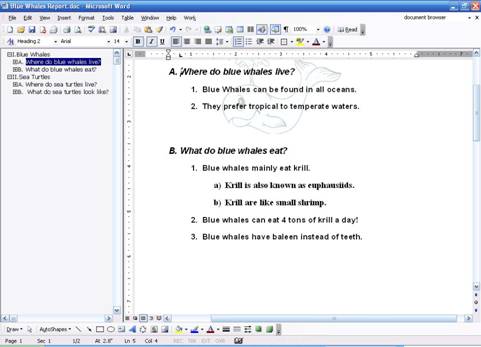
Document maps are another view feature that is mainly used with outlines. They display a list of headings in a document in a pane on the left hand side, and provide a simple “map” of your document. To turn on a document map, click the View menu and click Document Map.
Let’s look at the document map for our Blue Whales document:
On the left hand side, you can see the different headings and sub-headings for each section of the outline. Just like thumbnails, you can click on any item in the document map to jump to that section.
|