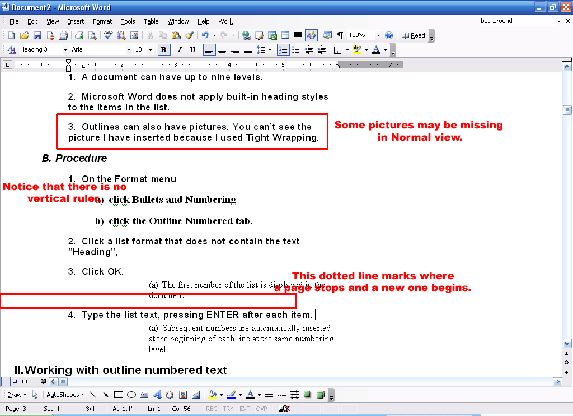
For most documents, you will want to view them in the normal view or the print layout view. Normal view removes some formatting items to make typing and editing text easier. One major change is that the vertical ruler and the white space between pages are eliminated. As well, headers and footers, backgrounds, drawing objects, and pictures (only ones that used square, tight, in front, or behind text wrapping styles) will not be shown.
Here’s a sample document using normal view:
Some of the different elements are identified in the figure above. Now, let’s look at this picture in Web layout to see more differences.
|