New Features in Microsoft Office Word 2003
Microsoft Office Word 2003 has a lot of snappy new features and tools. We’re going to go over these features. Try to focus on this as an overview of those features and not get sidetracked if you don’t understand how to use them. We’ll get into the details of each feature throughout the three levels of this course. If you’ve used older versions of Microsoft Word, one of the first things you will notice on opening Word 2003 is that it has a cleaner look. The title bar, scroll bars, and other visual elements have been sharpened and refined. Word 2003’s look will also change depending on your Window colour scheme. Let’s discuss some of these options.
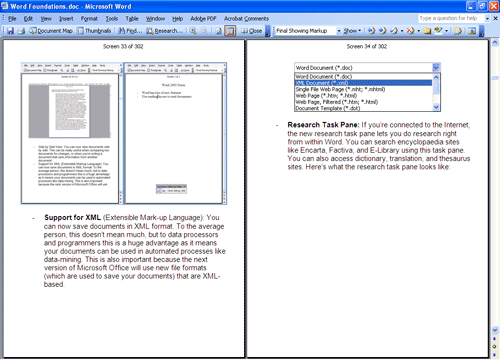
- Reading Layout: One of the new views in Microsoft Office Word 2003 is the Reading Layout. As you might have guessed, this new view is designed to make reading your documents easier. If you switch to this layout, most toolbars will be hidden. As well, your document will be scaled down so you a whole page will be displayed on the screen. Unlike using the zoom feature, however, the document will still be readable. Most editing features are available in reading layout, like highlighting and adding comments. (Of course, you can still type in the document as well.) And, you can use other views (like thumbnails and document map) in combination with the reading layout to make navigating your document a snap. The reading layout option is available under the view menu.
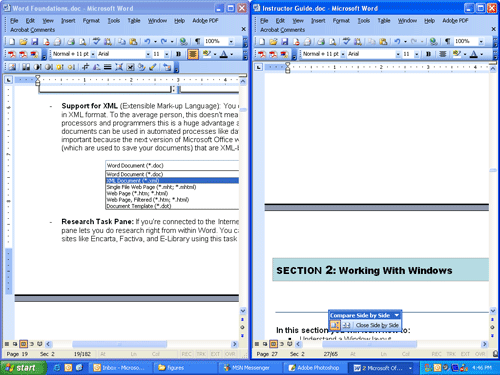
- Side by Side View: You can now view documents side by side. This can be really useful when comparing two documents for changes, or when you’re writing a document that uses information from another document. This option is available under the Windows menu. Here’s an example of this document side-by side with another document:
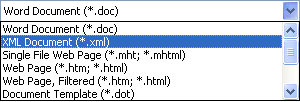
- Support for XML (Extensible Mark-up Language): You can now save documents in XML format. To the average person this doesn’t mean much, but for data processing and programmers this is a huge advantage as it means your documents can be used in automated processes like data-mining. This is also important because the next version of Microsoft Office will use new file formats (which are used to save your documents) that are XML-based.
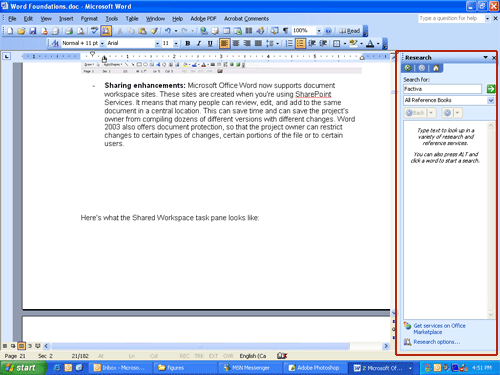
- Research Task Pane: If you’re connected to the Internet, the new research task pane lets you do research right from within Word. You can search encyclopaedia sites like Encarta, Factiva, and E-Library using this task pane. You can also access dictionary, translation, and thesaurus sites. The research option is available under the Tools menu. Below is an example with the research task pane highlighted in red.
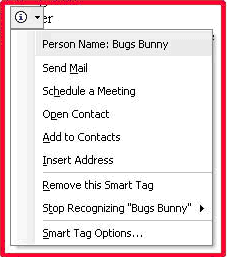
- Smart Tags enhancements: People are now recognized as smart tags. The new Person Smart Tags menu lets you perform people-related tasks like scheduling meetings or locating contact information. The Smart Tags option is available in your options under the Tools menu.
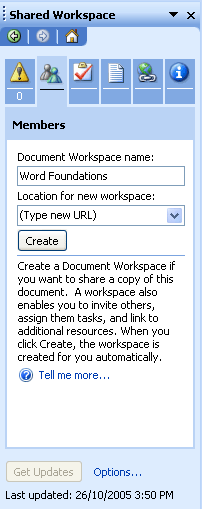
- Sharing enhancements: Microsoft Office Word now supports document workspace sites. These sites are created when you’re using SharePoint Services. It means that many people can review, edit, and add to the same document in a central location. This can save time and can save the project’s owner from compiling dozens of different versions with different changes. Word 2003 also offers document protection, so that the project owner can restrict changes to certain types of changes, certain portions of the file or to certain users. Here’s what the Shared Workspace task pane looks like:
- Information Rights Management: If you’re not using SharePoint Services, you can also prevent a document from being edited or distributed using Information Rights Management. This is a new trial service available to any user.
- Support for Ink: If you’re using Word on a device that has ink input (like a Tablet PC), you can use those ink devices to handwrite in Word. This can be used in lots of different ways, such as signing letters, commenting documents, or even writing e-mail messages.
- International Support: Word now has better support for international users. For example, the mail merge tool can now insert the correct greeting based on the gender of the recipient, or format a mailing address based on geographic region. As well, changes made to Word’s fonts mean that alternate languages look better and are more readable. There is even support for more languages and combining diacritics. (A diacritic are the markings that are printed above, below, or next to a character that indicate how to pronounce it.)
|