Have you ever tried to create a specific type of document (like a resume, a brochure, or a memo) and not known where to start? Microsoft Office Word 2003 offers templates to help you get started in just those situations.
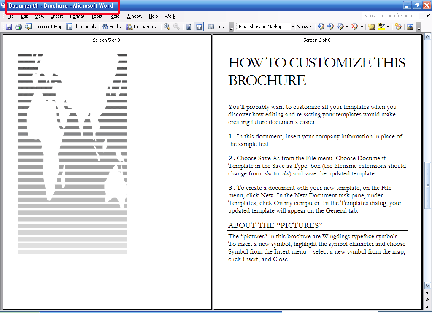
Templates are a document with styles and formatting that you can use as a pattern for your document. As well, the sample text in a template often provides tips to help you personalize it. Here’s an example of a brochure template:
You can see that this template not only has the layout done for you, but the sample text tells you how to save your own template and how to create pictures like they have done. You can also tell that we’re using a template by looking at the title bar (circled in red in the sample above); the template name (Brochure) is after the document name.
Let’s take a look at how to open, download, use, and create templates.
|