|
1. |
Open Microsoft Office
Word 2003.
Open the
Company Report
document from the Sample Files folder. |
|
|
|
|
2. |
Select the four lines below the text Bob’s
Ideas. Drag and drop them to before the number 89 on the first
line of the document. |
|
|
|
|
3. |
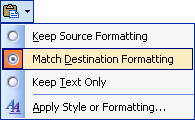
After you’ve dragged and dropped, click the
Paste icon below
the moved text and click
Match Destination Formatting.
|
|
|
|
|
4. |
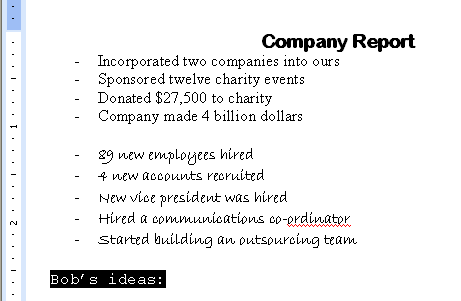
Select the text
Bob’s Ideas and
press the Backspace
key on your keyboard.
|
|
|
|
|
5. |
Click the
Edit menu and
click Undo. |
|
|
|
|
6. |
Click the
Edit menu and
click Redo. |
|
|
|
|
7. |
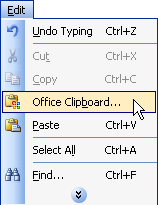
Click the
Edit menu and
click Office Clipboard.
|
|
|
|
|
8. |
Select the text Bob’s Ideas. Click the
Edit menu and
click Cut. |
|
|
|
|
9. |
Right-click the item in the clipboard and
click Delete. |
|
|
|
|
10. |
Save your document. |


