If Word only has one editing window, how can you see all the documents you have open? There are a few ways of switching between open documents.
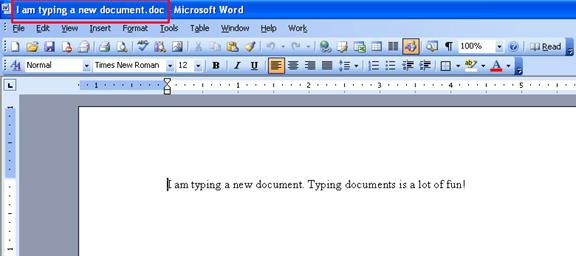
First, you can tell what document you have open by looking at the title bar. You can see the title bar outlined in red in the figure below:
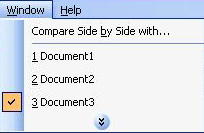
One way to switch between open documents is using the Window menu. You can click the Window menu and then click the document you want to switch to. See the below picture for an example.
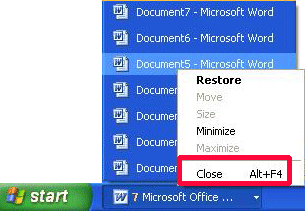
You can also use the Windows taskbar to open your documents. If your taskbar looks like this, just click on the document you want to switch to.
Even if your taskbar items are grouped, you can still see a list of documents by clicking on the grouped item. Then, you can click on the document you want to open.
|